YOUR TAX OFFICE.
ONE POWERFUL PLATFORM.
Manage clients, documents, payments and your office operations — all in one place. The smarter way to manage your tax preparation business.
WellProTax runs your office and works alongside your preparation software — Drake stays your preparation software. WellProTax never replaces it.
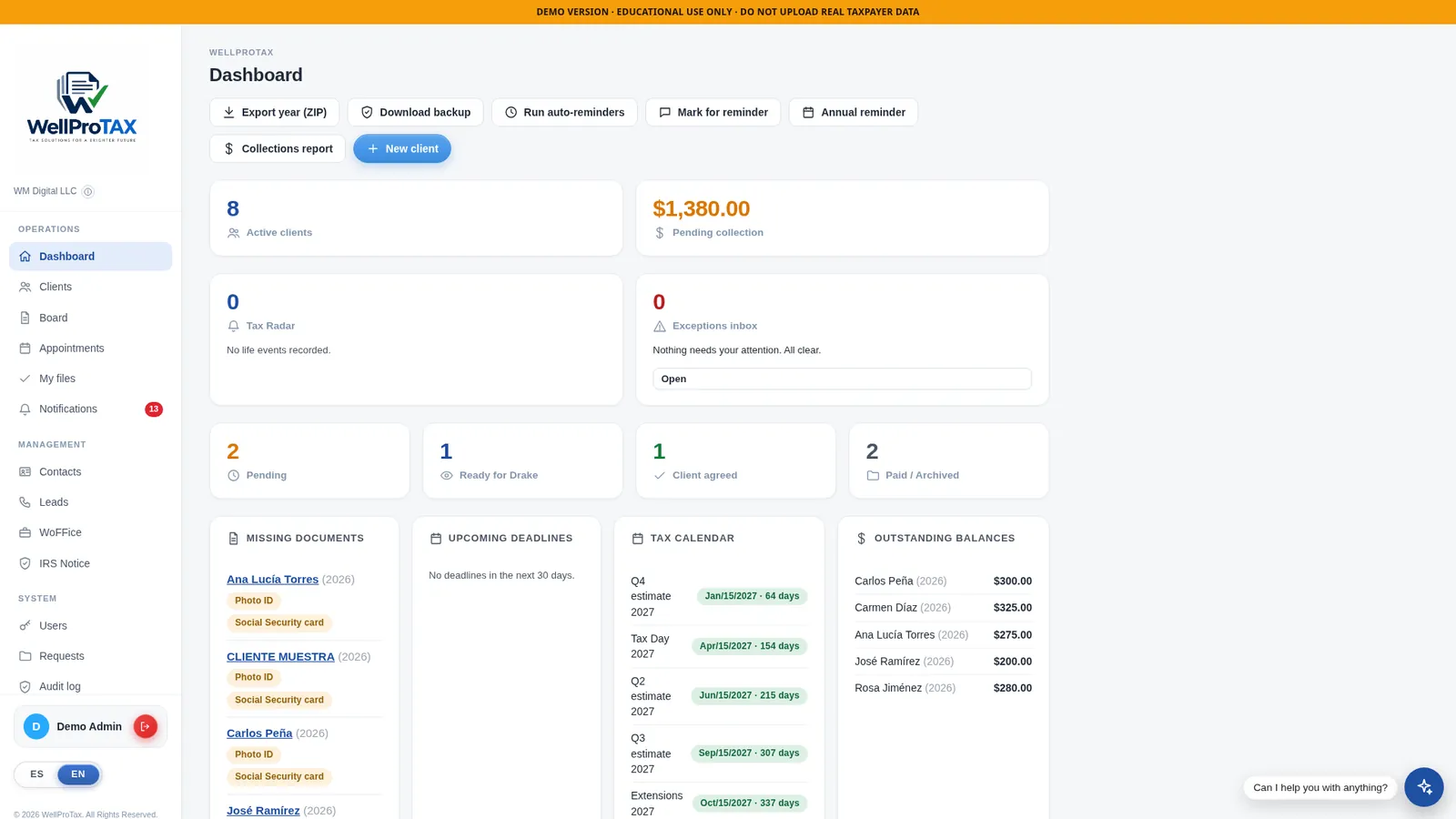
Real screenshot of the public demo — all client data shown is fictional.
Everything Your Office Needs
One panel for the daily operation of your office — from the first lead to the closed, paid file.
Clients & case files
Every client has one complete file: personal data, spouse, dependents, tax years and status — searchable in seconds.
Board, statuses & reminders
See where every case stands — pending, ready for Drake, client agreed, paid — with automatic reminders so nothing stalls.
Missing-document tracking
The dashboard flags exactly which documents each client still owes — photo ID, Social Security card and more — before they hold up a return.
Balances & collections
Outstanding balances and pending collections are always on screen, per client and for the whole office.
Appointments & tax calendar
Appointments, deadlines and the IRS tax calendar live next to your client list — not in a separate app.
Notifications & audit log
An exceptions inbox tells you what needs attention, and an audit log records the activity in your office.
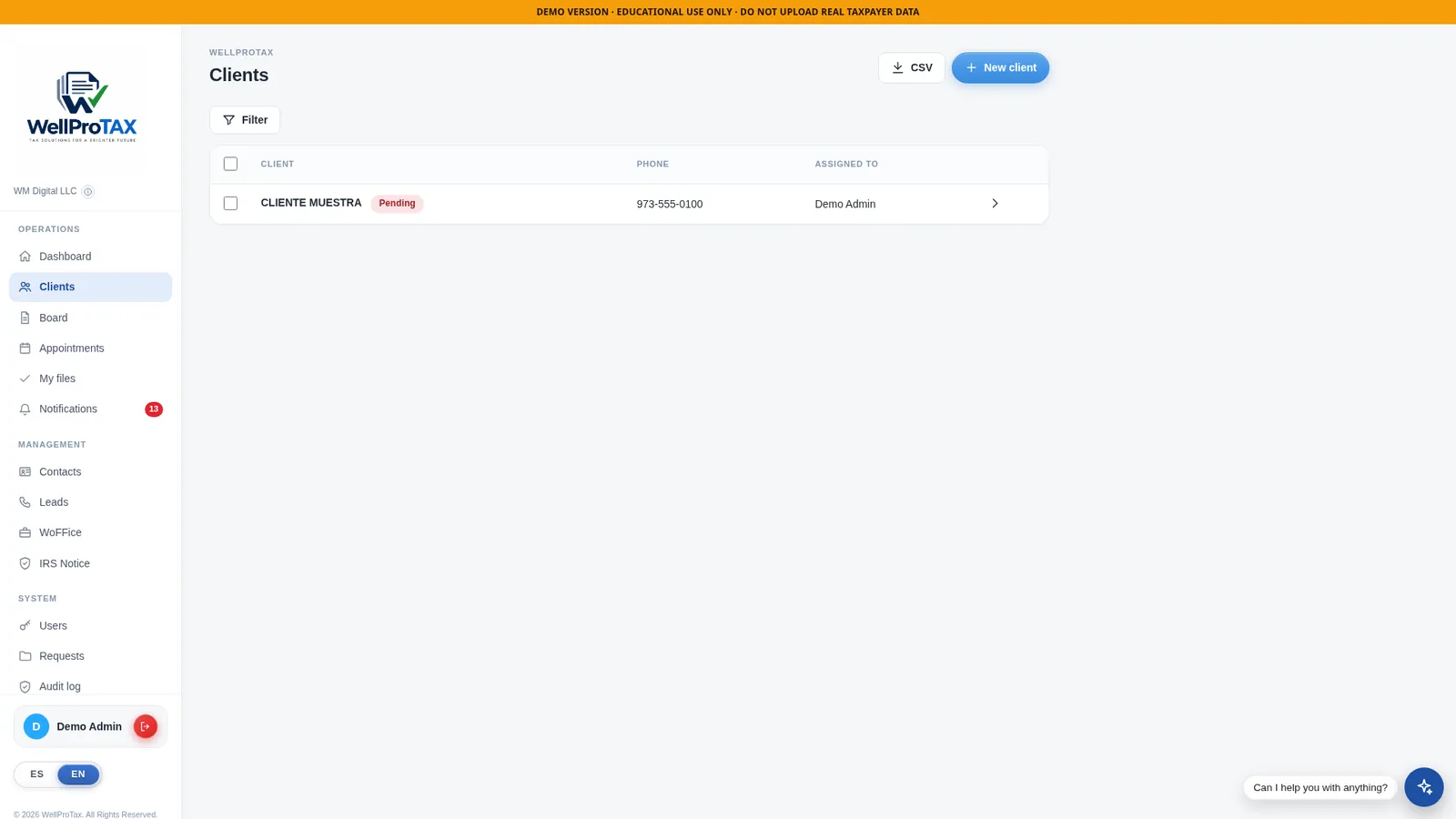
Your full client list — status, year and balance at a glance.
AI-Powered Document Processing
Clients upload their documents; WellProTax reads them for you. No more typing W-2s box by box.
- Reads the form, not the template. The AI reads the printed IRS boxes, so a W-2 from ADP, Gusto or Paychex is read the same way — wages, federal and state withholding included.
- Classifies every document. W-2, 1099-NEC, 1099-MISC and other forms are identified and filed in the right place in the client’s record.
- Flags what it can’t read well. Blurry or low-confidence reads are never applied silently — they are marked for your review and you get a notification.
- You approve. Always. Extracted data is saved per document, client and tax year, and nothing becomes final in a case until the preparer reviews and accepts it.
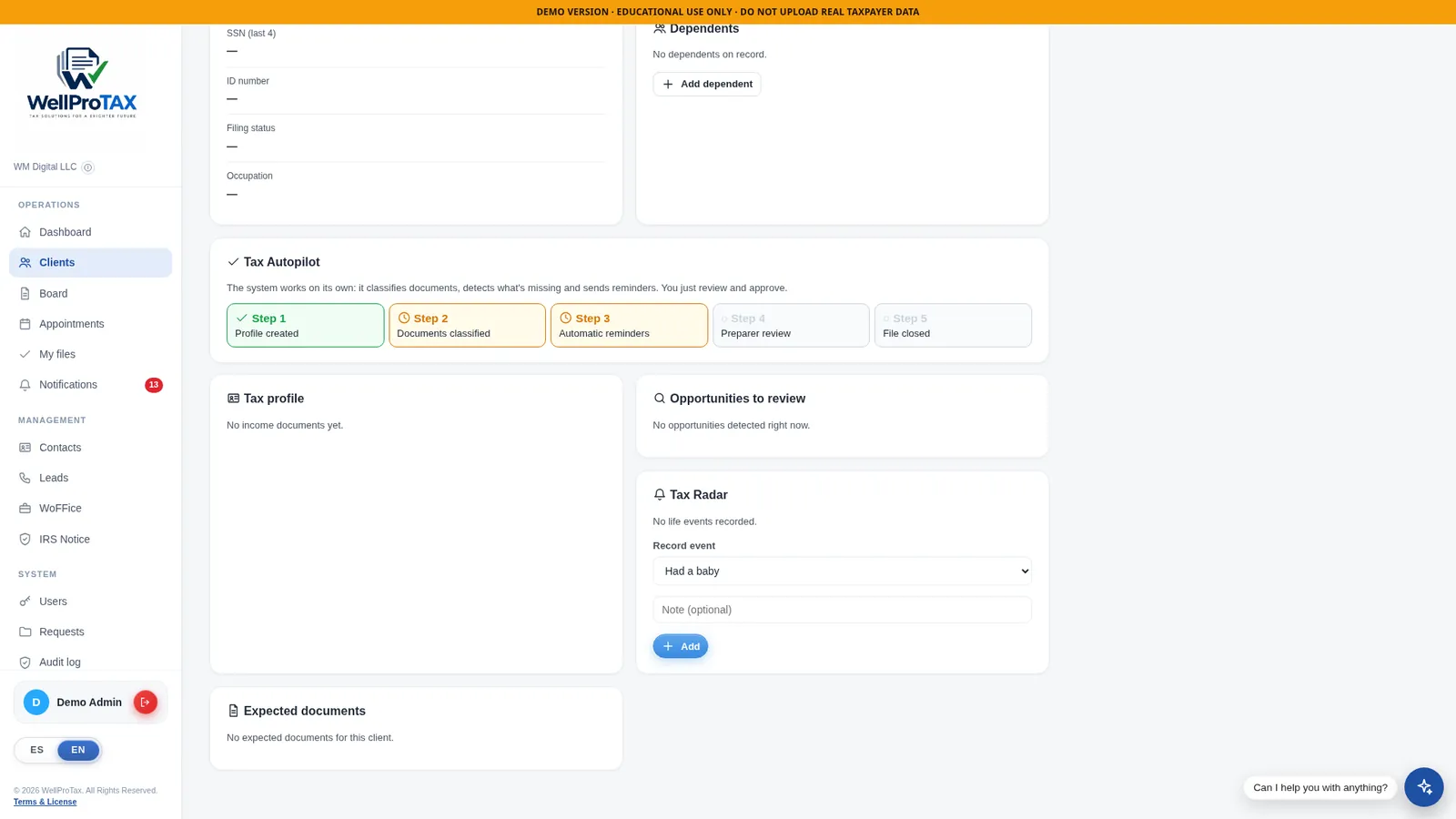
Inside a client file: documents classified, reminders sent automatically, preparer review before closing.
Client Portal & Electronic Signatures
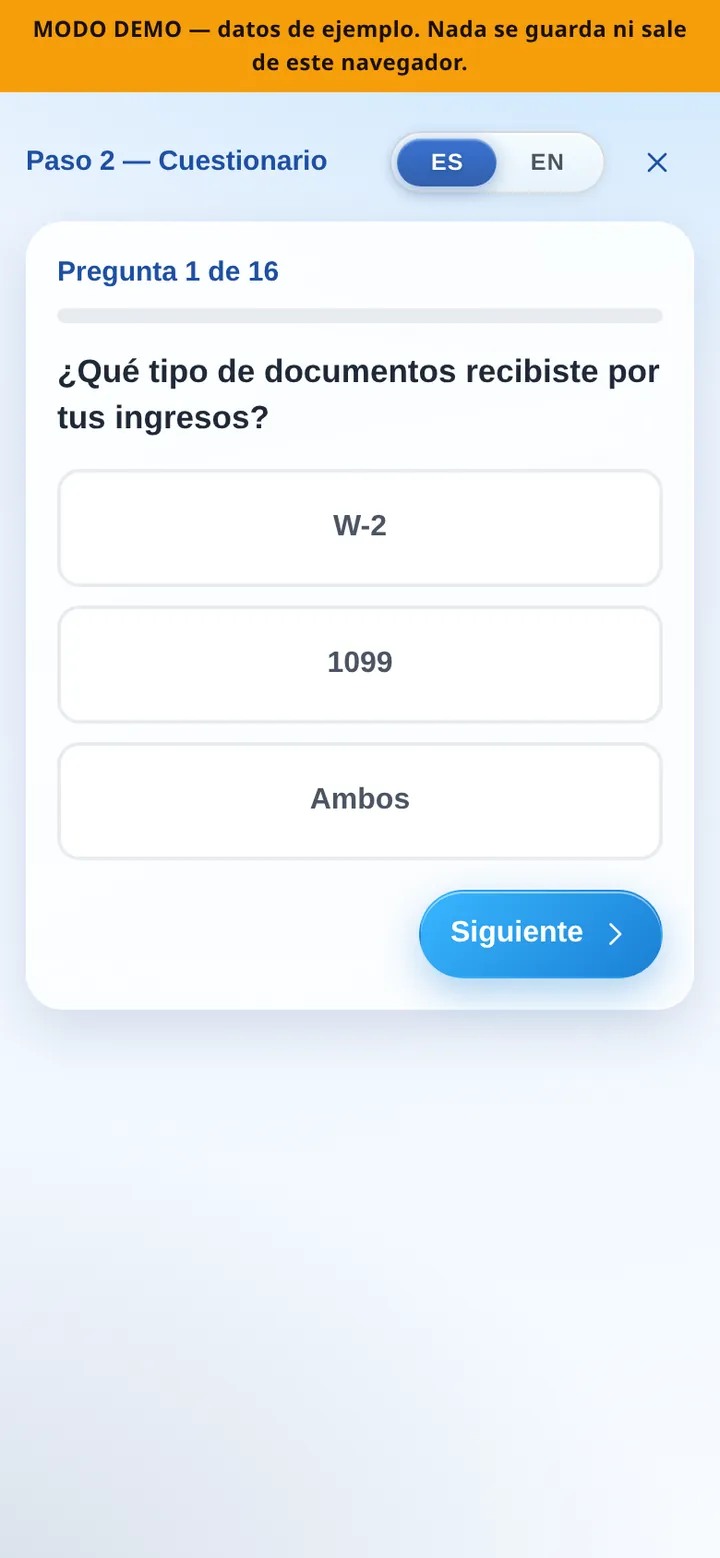
Your clients get their own secure portal with a personal link and PIN — no app store account, no password to remember. From their phone they upload documents, answer the questionnaire and sign.


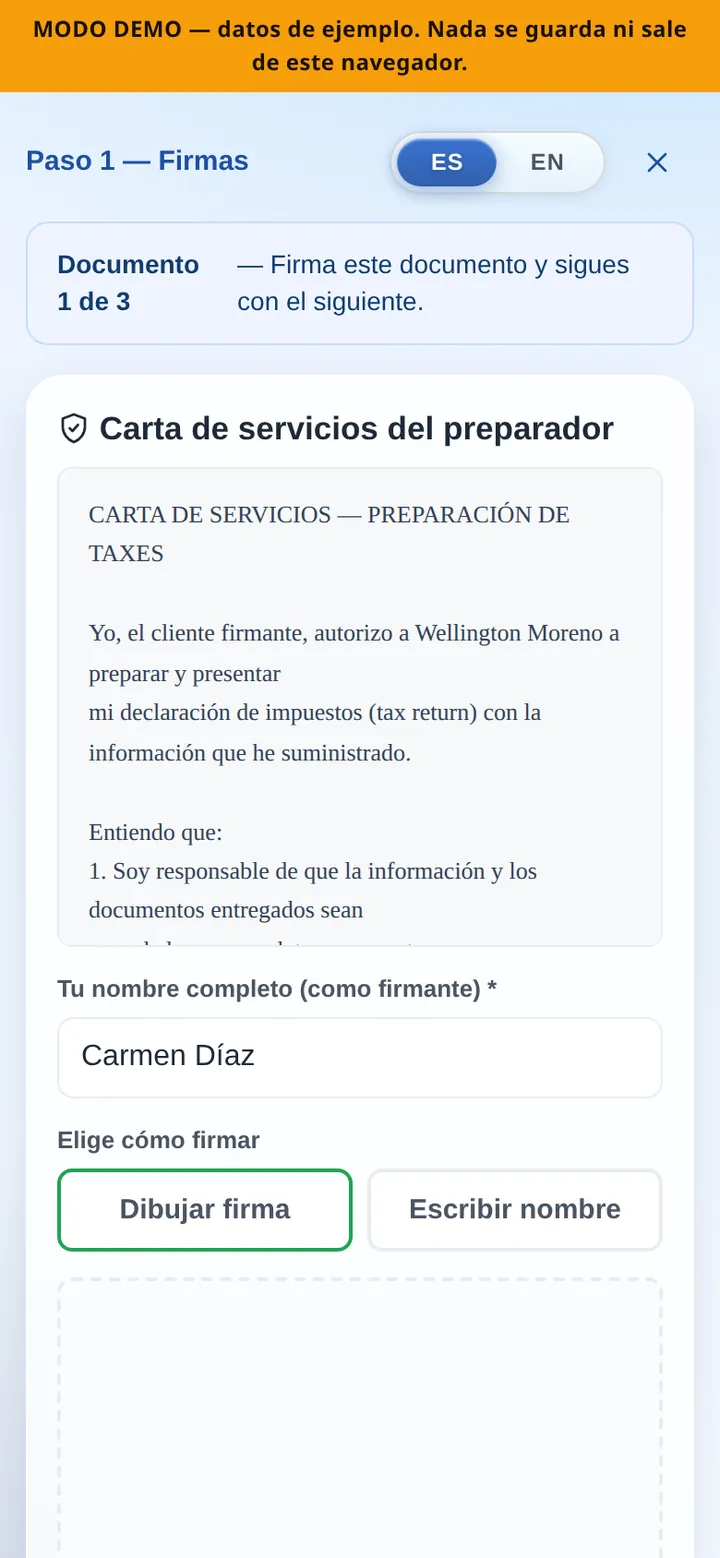
- Documents arrive organized. What the client uploads lands directly in their file in your panel — nothing gets lost in text messages or email threads.
- Signatures without the trip. Clients sign their documents electronically from wherever they are, and you see the signed status in the file.
- The questionnaire does the intake. Clients answer the intake questionnaire from their phone, so the answers are waiting in the file when you start.
Connect WellProTax with Drake
From WellProTax to Drake — a more connected workflow. WellLoader is the bridge: it exports the case from WellProTax and fills Drake automatically, so the data you already organized doesn’t get typed twice.
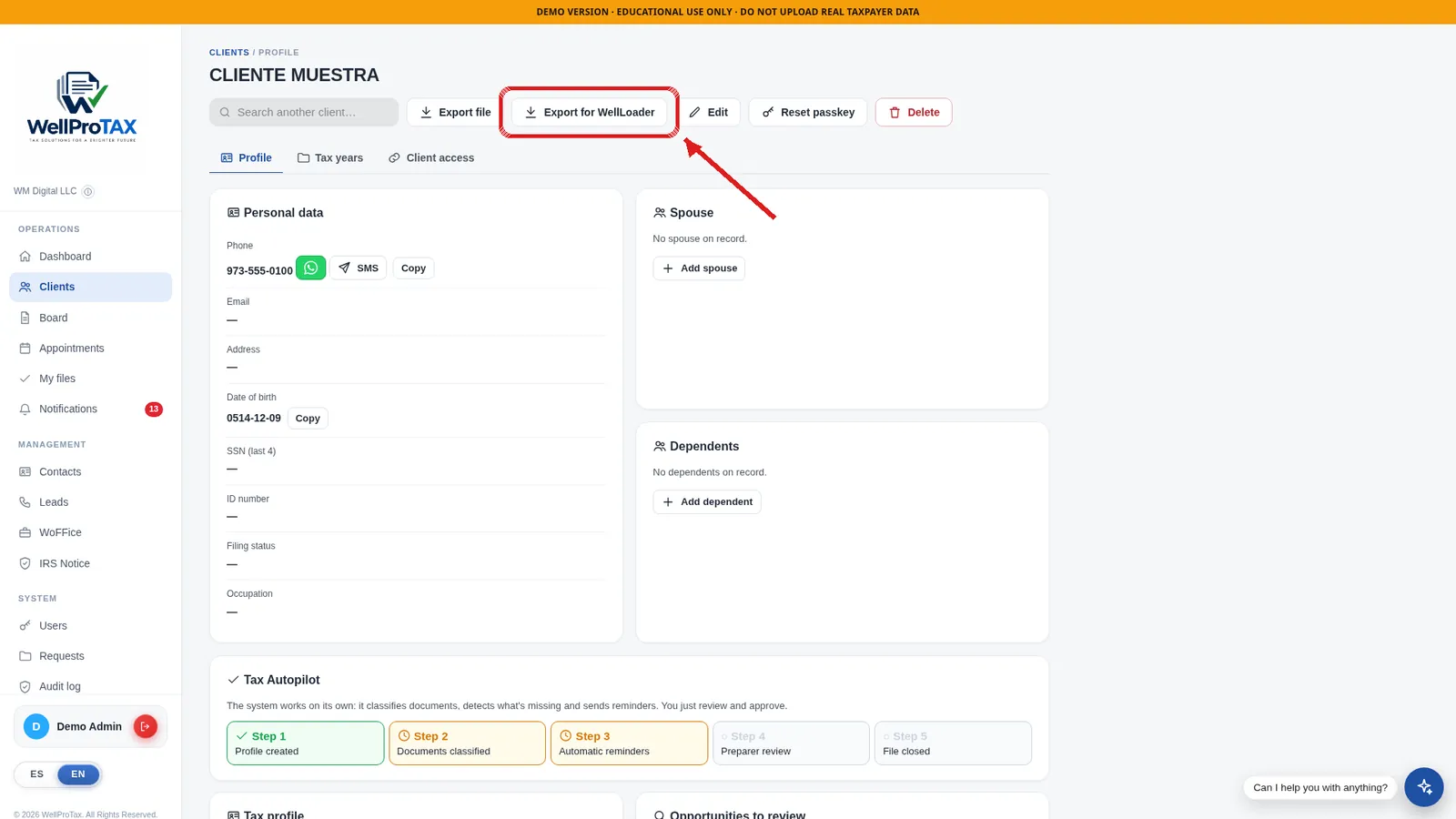
The «Export for WellLoader» button lives right in the client file.
Office Accounting & Financial Reports
Know how your office is performing — without leaving the system you already run it in.
Income tracking
Record what the office earns, tied to the clients and cases that produced it.
Expense control
Register office expenses as they happen instead of reconstructing them at year-end.
Fixed expenses
Rent, software, salaries — the recurring costs of the office, organized once and always visible.
Financial reports & P&L
Financial reports and profit & loss statements that show, in plain numbers, how the season is going.
Built for a tax office — not a QuickBooks rival
WellProTax accounting is specialized in running a tax preparation office: the money side of your cases, your team and your season, in the same place as the work itself. If your accountant works in QuickBooks, this complements that work with the operational picture only your office system can give.
- Collections report and outstanding balances, always current.
- An office health view that scores cash flow, cushion, payments on time and order.
Your Office. Your Brand. Your Business.
WoFFice is the office layer of WellProTax: the back-office of your business — finances, day-to-day control and the health of the operation — presented under your office’s own identity, so the business you built looks like yours.
- Your office’s financial health at a glance — cash flow, cushion, payments on time and order, scored 0–100.
- The business side of the office — beyond tax season — in the same platform as your cases.
Your Office in Your Pocket
WellProTax also lives on the phone. Check the state of your office between appointments, and your clients keep using their portal from theirs — the same experience, sized for a small screen.
- Apps for iPhone and Android. The WellProTax experience travels with you, away from the desk.
- Clients work from their phone. The portal — documents, questionnaire and signatures — is designed for the phone your clients already have in hand.
- Same data, every screen. What a client uploads from the couch is in the file when you open it at the office.
Security & Privacy
Tax data is sensitive. These are the concrete measures in place today — stated exactly as the system implements them.
A separate instance for your office
Each office works in its own independent WellProTax instance. Your clients and files are not mixed with another office’s.
AES-256 encryption
Data is protected with AES-256 encryption — the same standard used across the financial industry.
Two-step verification
Panel access supports two-step verification (2FA), adding a second check beyond the password.
Role-based access
Access is controlled by roles: each preparer sees only the clients assigned to them — not the whole office.
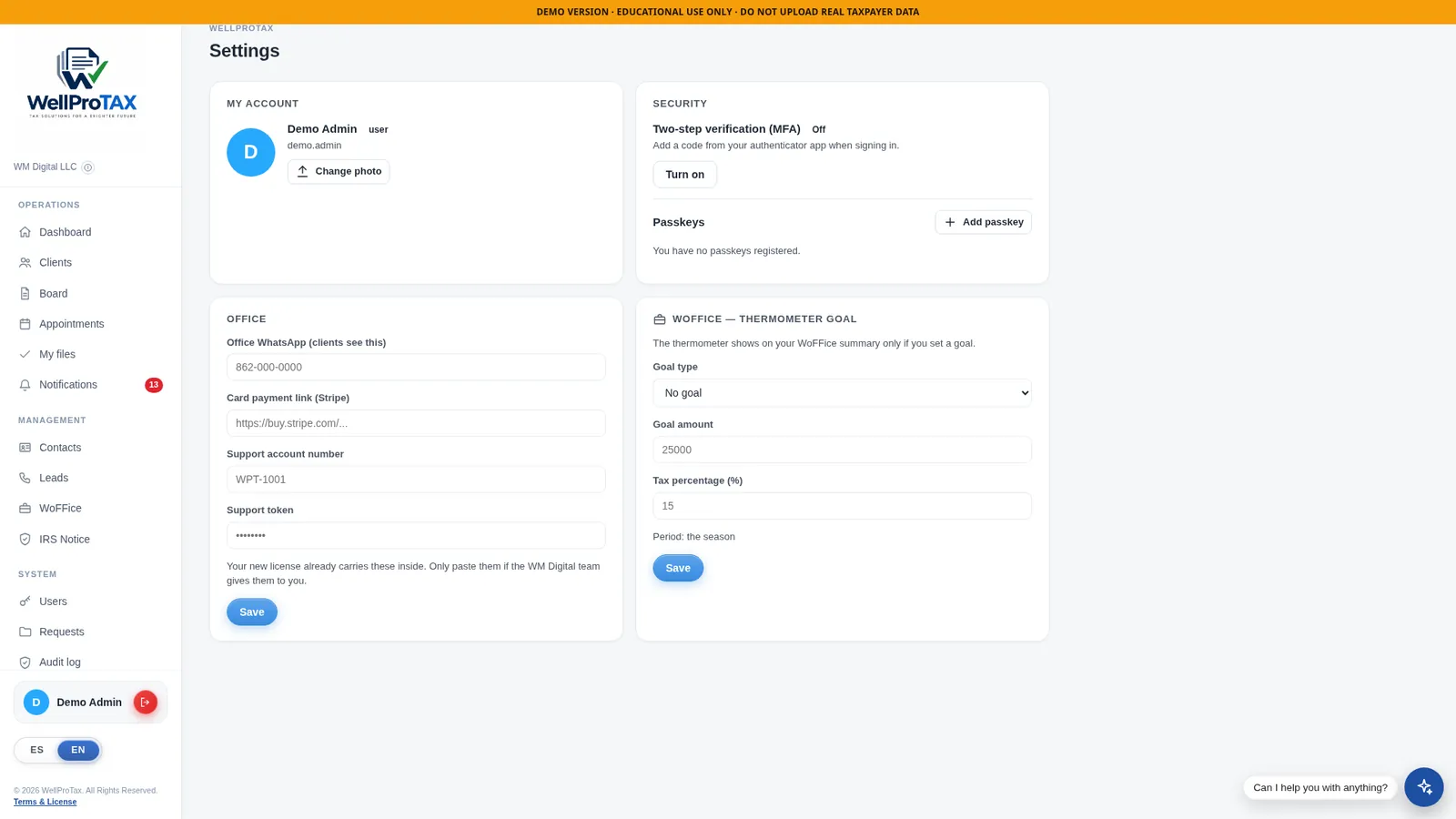
Users, roles and office settings are managed from your own panel.
See WellProTax in Action
No mockups, no stock photos — this is the actual product. The best way to see it is to open the live demo and click through a client file yourself.
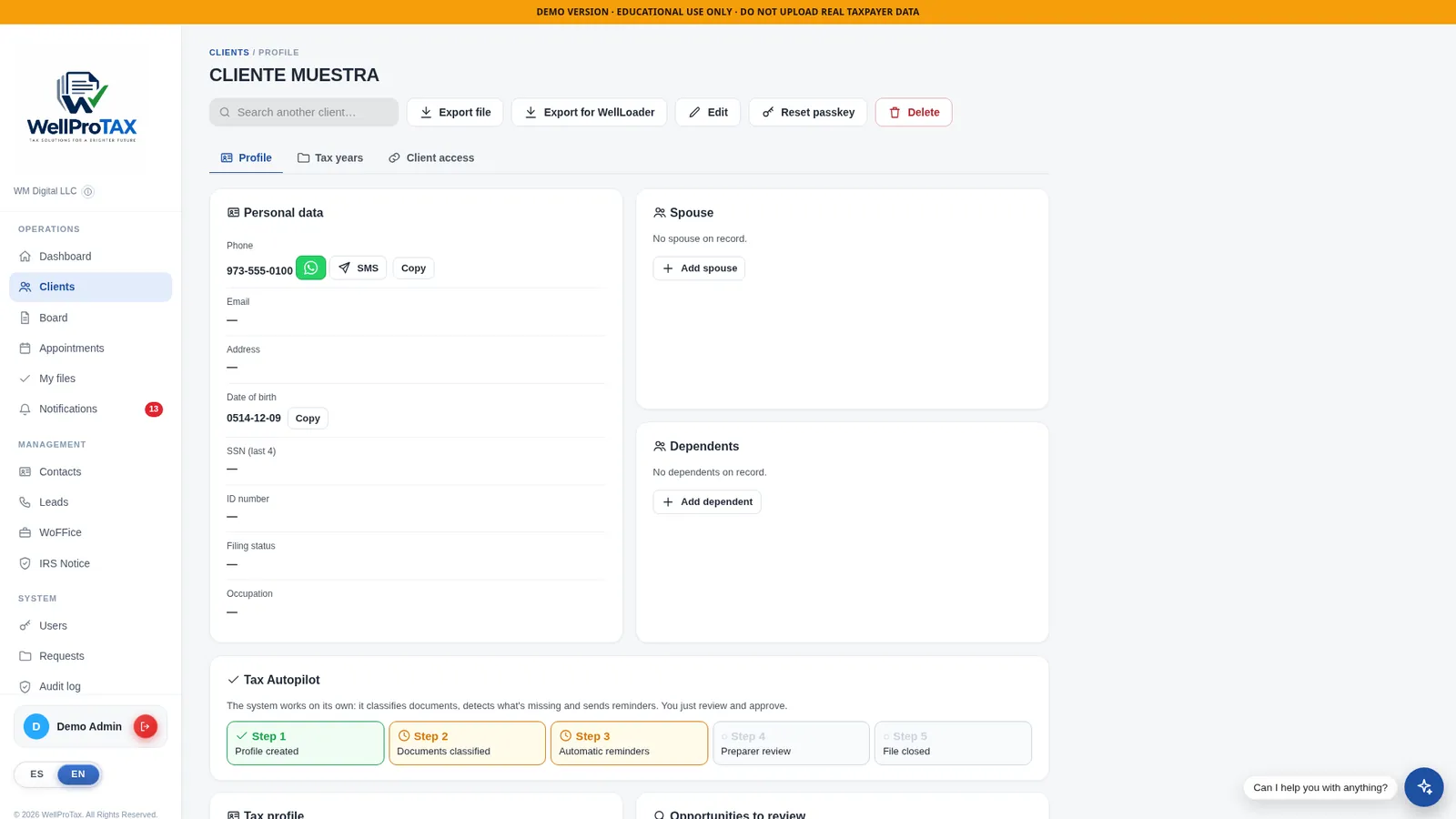
A client file in the demo — profile, spouse, dependents and tax years in one place.
Plans & Pricing
One annual license per office. Every plan includes unlimited clients — you pay for your team’s seats, never per return.
Starter
1 user
- Unlimited clients
- Client management, portal & e-signatures
- AI document processing
- WoFFice — available as add-on
Office
10 users
- Unlimited clients
- Client management, portal & e-signatures
- AI document processing
- WoFFice — available as add-on
Firm
20 users
- Unlimited clients
- Client management, portal & e-signatures
- AI document processing
- WoFFice — available as add-on
Custom
30+ users
- Unlimited clients
- Client management, portal & e-signatures
- AI document processing
- WoFFice — available as add-on
| Feature | Starter · $500 | Office · $1,000 | Firm · $2,000 | Custom |
|---|---|---|---|---|
| Team users | 1 | 10 | 20 | 30+ |
| Clients | Unlimited | Unlimited | Unlimited | Unlimited |
| Client portal & e-signatures | Included | Included | Included | Included |
| AI document processing | Included | Included | Included | Included |
| WellLoader — export to Drake | Included | Included | Included | Included |
| Office accounting & P&L reports | Included | Included | Included | Included |
| Mobile apps | Included | Included | Included | Included |
| WoFFice — your office, your brand | Add-on | Add-on | Add-on | Add-on |
Outgrowing your plan? When your team reaches its user limit, you simply move up to the next license — your office, clients and history come with you. Questions about support, renewal or exporting your data: write to us and we’ll walk you through it.
Frequently Asked Questions
Does WellProTax replace Drake?
No. WellProTax manages your office — clients, documents, portal, payments and accounting — and complements your preparation software. With WellLoader, the case you organized in WellProTax is exported and filled into Drake automatically. Drake remains your preparation and e-file software.
Is WoFFice included in the Starter plan?
No — WoFFice is not bundled into any base license: not Starter, Office or Firm. It is an optional add-on that you can attach to any plan, as the comparison table shows.
How many clients can I manage?
Unlimited, on every plan. Plans are priced by the number of team users (seats) in your office — never by clients or returns.
How does the AI document processing work?
When a document is uploaded, the AI identifies the form and extracts the figures from its printed IRS boxes — for example wages and withholding from a W-2, whatever payroll company issued it. Reads with low confidence are flagged instead of applied, and the preparer reviews and approves the data before it counts in the case.
How do my clients use the portal?
Each client receives a personal link and a PIN. From their phone they upload documents, answer the intake questionnaire and sign electronically. Everything arrives organized in the client’s file in your panel.
Is my office’s data separate from other offices?
Yes. Each office runs on its own independent instance, data is protected with AES-256 encryption, the panel supports two-step verification, and role-based access means each preparer sees only their assigned clients.
What happens when my team outgrows its plan?
You move up to the next license — Office for up to 10 users, Firm for up to 20, or a custom arrangement for 30 or more. Your clients, files and history stay exactly where they are.
Can I try WellProTax before paying?
Yes — the live demo at demo.wellprotax.com is the real product with fictional demo data. Open it, click through a client file, and see exactly what your office would look like.
Take Control of Your Tax Office
Clients, documents, payments, accounting and your bridge to Drake — one platform, built for offices like yours.
Prefer to talk first? wmoreno.business@gmail.com · WhatsApp